
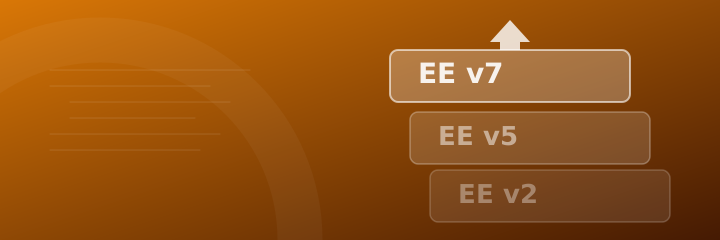
If your ExpressionEngine website is still running version 2, you are operating on software that was officially retired years ago. EE v2 required PHP 5, which itself reached end of life in 2019. Many hosting providers have already dropped PHP 5 support entirely, meaning sites still running EE v2 are either broken, running on dangerously outdated server configurations, or both.
What does running EE v2 in 2026 actually mean?
The risks are real and ongoing:
- PHP incompatibility. EE v2 will not run on PHP 8. If your host has upgraded their PHP version (which most have), your site may already be throwing errors or silently misbehaving.
- Unpatched security vulnerabilities. No security updates have been released for EE v2 in years. Known exploits remain open, and your site has no protection against them.
- Unsupported add-ons. Every third-party add-on your site depends on, whether that is a form builder, a slider, an image gallery or something more bespoke, is almost certainly unpatched and incompatible with modern PHP. Some may themselves introduce vulnerabilities.
- No support routes. When something breaks, and eventually it will, there is no official path for help. You are entirely reliant on a developer who knows the legacy codebase well enough to work in it.
What is the upgrade path?
Getting from EE v2 to EE v7 is not a case of running an update script and refreshing the page. It is a multi-stage migration that requires careful planning:
- Running sequential database migrations (v2 to v3, v3 to v5, v5 to v6, v6 to v7)
- Auditing every installed add-on for EE7 compatibility and finding modern replacements where needed
- Updating template code to use current EE syntax
- Resolving PHP 8 compatibility issues in any bespoke or legacy code
- Thorough testing before and after go-live to ensure nothing is lost
This is not a process to rush, and it is not one to attempt without experience of how EE behaves across versions. Done badly, you risk data loss, template errors, or a site that appears to work but has underlying problems that surface weeks later.
Is it worth it?
Absolutely. EE v7 is a genuinely excellent CMS. The control panel is modern and clean, Grid (the built-in replacement for Matrix) is more flexible than its predecessor, Redactor X provides a polished rich text editing experience, and the platform is actively maintained with regular updates. Your editorial team will notice the improvement immediately, and your developers will have a much better environment to work in.
More importantly, once you are on a supported version you have a clear upgrade path for the future. You are no longer on borrowed time.
Where do you start?
The first step is a proper audit of your existing installation. That means mapping every add-on in use, understanding the bespoke functionality that has been built over the years, identifying any data that needs careful handling during migration, and producing a realistic plan with clear costs and timescales.
Upgrading complex EE installations is something I specialise in. If your site is on EE v2 (or any legacy version) and you want an honest assessment of what an upgrade would involve, get in touch and I will take a look.